Frequently Asked Questions

Get answers in the app — download RentSpace today
About RentSpace
What is RentSpace?
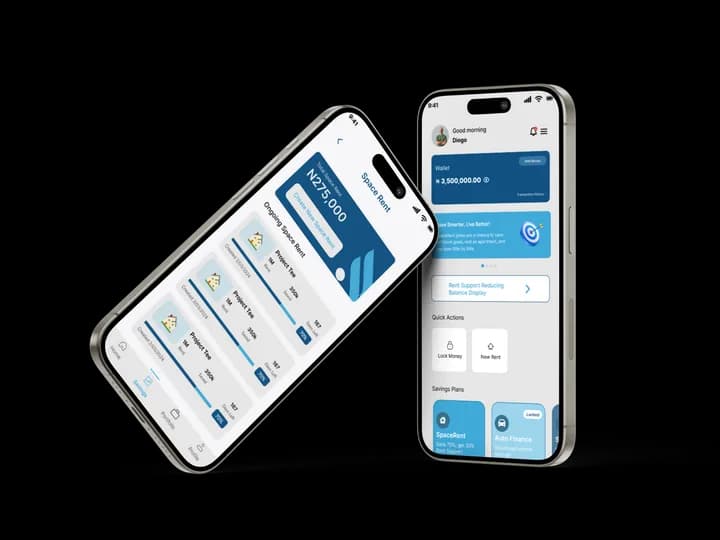
RentSpace is a mobile-first financial lifestyle app that tackles Lagos housing affordability through goal-based savings and conditional rent support. In Cycle 1 you save 70% of your rent target and we add 30%. Later cycles: save 50% then 30% for up to 50% then 70% support. We pay your landlord 100% directly. As you complete cycles, you unlock SpaceContribution, SpaceAuto, and Market Mingle (groceries).
How does RentSpace work?
You start a Rent Goal (rent amount, duration 6–12 months, payment frequency). We auto-generate a savings plan. You fund your SpaceWallet via your unique virtual account (DVA). Once you reach the required savings for your cycle (70% in Cycle 1, 50% in Cycle 2, 30% in Cycle 3+), you become eligible for rent support. After document upload and approval, 100% is disbursed to your landlord. You then repay the support over five monthly instalments, each equal principal plus a 2.5% service charge on the remaining balance. That charge is not interest.
Sign-Up & Onboarding
What do I need to sign up?
Valid email (we send an OTP), a secure password (min 8 characters, one number, one symbol), and BVN verification. You then answer 3 rental questions: how many properties you pay rent for, current rent amount, and monthly income. We create a personalized savings plan. Only after completing all steps can you access the dashboard.
What if I skip a step?
If you try to skip onboarding, you'll see: Please complete your onboarding steps to access the RentSpace dashboard.
Saving & Rent Support
How much do I need to save before I can get support?
It depends on your cycle. Cycle 1: save 70% of rent for up to 30% support (Basic KYC + Guarantor + autodebit mandate). Cycle 2: save 50% for up to 50% support (Enhanced KYC — income proof, landlord docs, autodebit mandate). Cycle 3+: save 30% for up to 70% support (Collateral + Salary Domiciliation for salaried earners + autodebit mandate).
Where does the support money go?
RentSpace pays your landlord directly—never to you. The full 100% (your savings + our support) is transferred to the landlord's account.
How do I repay the support?
After payout, we create five monthly instalments. Each one is an equal slice of the support plus a 2.5% service charge on what is still outstanding that month. The charge falls as the balance falls. This is a service charge, not interest. On the due date we try your wallet first; if it is short, we debit an authorised bank account via Remita. You get reminders (in-app, WhatsApp, SMS, email) before due dates.
Do you charge interest on support?
No. RentSpace charges a service charge, not interest. The rate is 2.5% of the remaining support (or grocery package) at each instalment. Rent support is five monthly amounts; grocery finance is eight weekly amounts over two months.
Wallet & Funding
How do I fund my wallet?
You fund your SpaceWallet only by transferring money from your bank to the unique virtual account (DVA) assigned to you. All funds received into the DVA are reflected in your wallet in real time.
What can I use my wallet for?
Rent savings (auto-deductions per your plan), rent support repayment, grocery purchases or financing via Market Mingle. Support funds cannot be withdrawn as cash.
Market Mingle & Groceries
What is Market Mingle?
RentSpace's grocery module. You can Save-Then-Shop (save a grocery goal monthly, then checkout when full) or Finance-and-Repay (grocery finance after staff approval, then grocery Remita mandates). Grocery finance is repaid over eight weekly instalments: equal slices of the package plus a 2.5% service charge on the remaining balance each week — not interest. Your Savings Velocity Score determines your tier and limit (₦20,000–₦100,000). Tier is reviewed every 3 months.
Can I use Space Points for groceries?
Yes. You earn ₦200 Space Points for every ₦10,000 saved. Redeem them for discounted groceries, airtime, data, and essentials in the app.
Unlocks (SpaceContribution, SpaceAuto)
When do I unlock SpaceContribution and SpaceAuto?
SpaceContribution unlocks after you complete one full rent cycle. SpaceAuto (structured car savings) unlocks after completing 2 full cycles with no default on repayment. The app shows locked features with progress messages.
Safety & Trust
Is my money safe?
Yes. Funds are managed through licensed financial partners. We use Providus for virtual accounts, Paystack for payments, and comply with NDPA and regulatory requirements.
Will my landlord accept payment from RentSpace?
Yes. We disburse directly to landlords' accounts and issue receipts for both tenant and landlord.
Getting Started
How do I join?
Download the RentSpace app, create an account (email, OTP, password), verify BVN, complete the rental questions, and start your first Rent Goal.
Who can use RentSpace?
Anyone who pays rent—students, workers, families, and organizations. You must be 18+, reside in Nigeria, and have a Nigerian bank account.
Didn't find your question? Contact us at support@rentspace.tech or chat with us in the app.
Download the app for in-app support and chat